Skip to content
Pella CRM
Features

All of Pella CRM

Here is what each module covers. Modules that aren't part of your plan never appear in the interface.

Sales

From first contact to a signed quote

Capture the lead, see where it sits in the pipeline, build the quote from your catalogue and email it as a PDF. By the time it is approved, the customer, the account and the invoice already exist.

  • Table and kanban views with drag-and-drop stage changes
  • Lead and quote statuses configurable per branch
  • Source tracking: which channel brought how many customers
  • Line-item quotes built from a product/service catalogue
  • One-click PDF export and email delivery
  • Convert a lead into a customer account
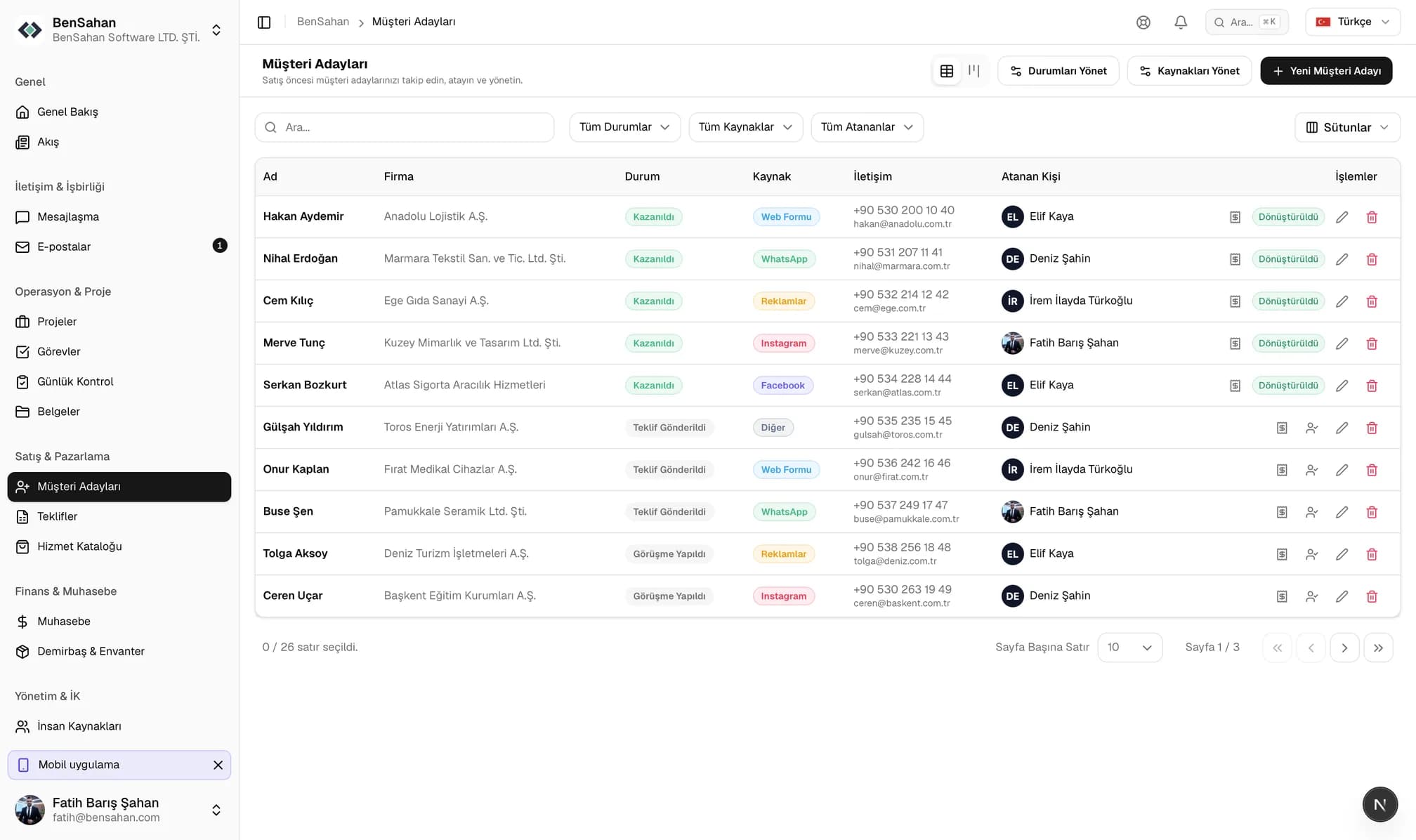
Lead list: a filterable table with company, status, source, contact details and the assigned salesperson.
Accounting

Bookkeeping right next to sales

Income and expenses, customer accounts, bank accounts and invoices in one place. Tax breakdowns by rate, instalment collection and a cash-flow report come as standard.

  • Line-item sales and purchase invoices
  • Automatic breakdown by tax rate
  • Instalment collection and due-date tracking
  • Bank accounts and transaction records
  • Income/expense categories and reports
  • Per-branch currency (TRY, USD, EUR, GBP, AED, RUB)
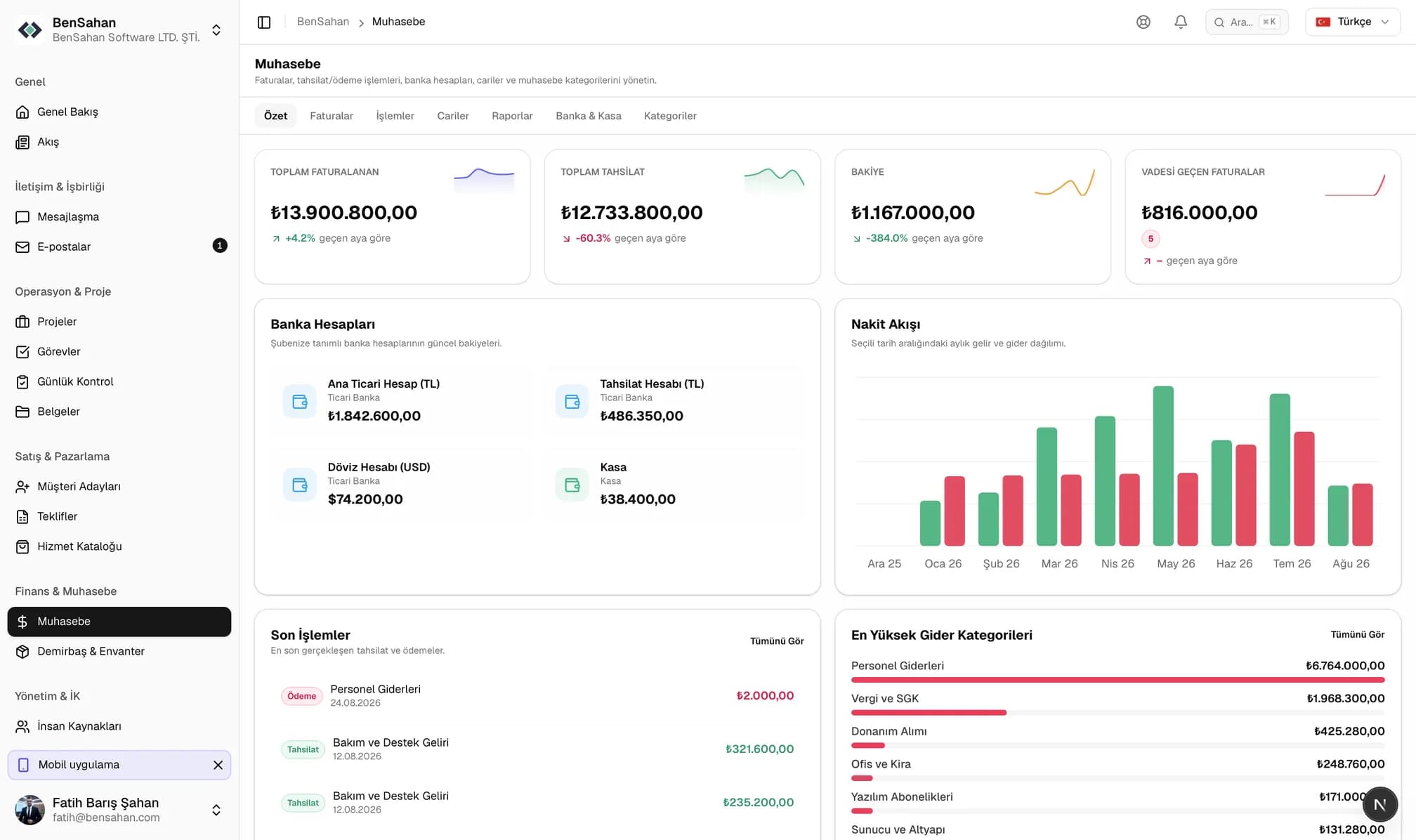
Accounting overview: total invoiced and collected, bank account balances, a monthly income-versus-expense chart and the largest expense categories.
Human Resources

People, time, leave and hiring

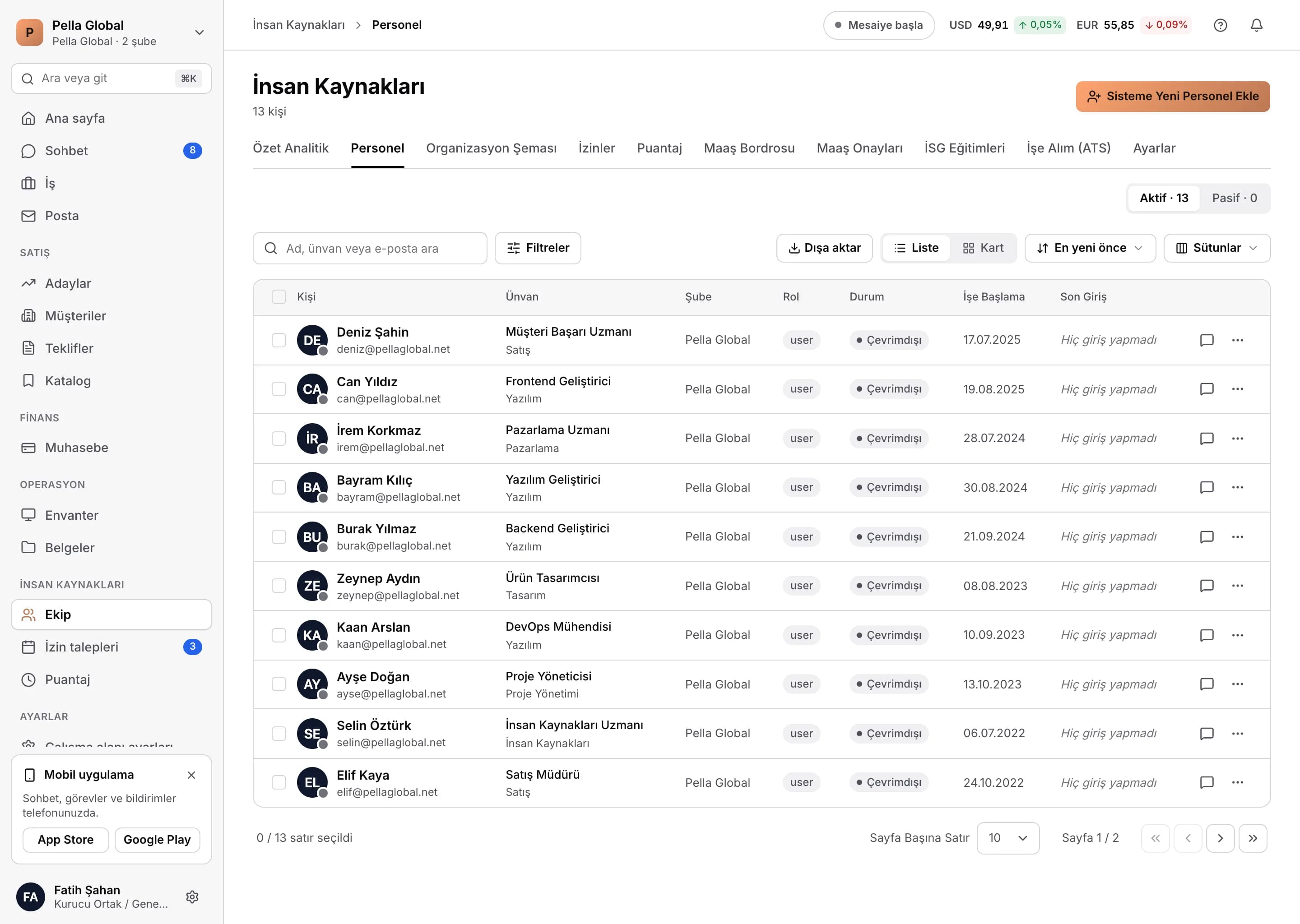
From employee records and the org chart to clock-in and the leave approval chain. A leave request moves from the manager to HR on its own.

  • Employee records and organisation chart
  • Recruitment (ATS): postings, candidate pool, evaluation
  • Time tracking with working hours, location and IP restrictions
  • Annual leave balances and multi-step approval
  • Counter-proposals inside a leave request
  • Public holiday calendar and weekly days off
Human resources dashboard: total employees, active leave requests, vacant roles and staff turnover, plus salary cost by department and the gender ratio.
Operations

Projects, tasks and daily checks

Open the project, add the team, hand out the tasks. Recurring daily work turns into checklists that generate themselves, and anything left undone shows up as a badge.

  • Project and task statuses configured per branch
  • Kanban and list views with drag-and-drop ordering
  • Assignments, due dates and reminder notifications
  • Daily checklist templates and automatic rules
  • Completion history for previous days
  • Visibility driven by project membership
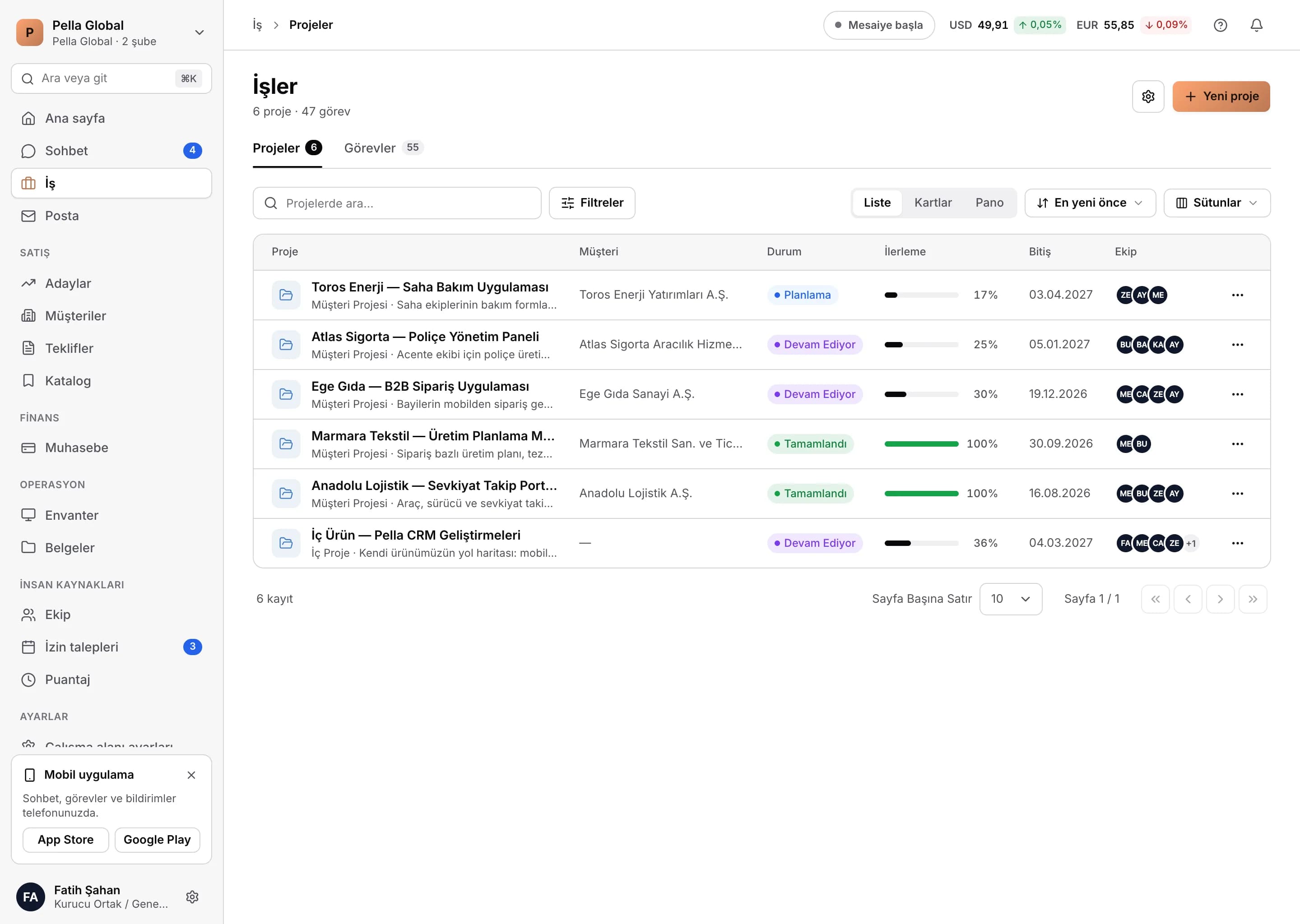
Project list: category, status, start and due dates, and the team members assigned to each project.
Communication

Chat, calls, company feed and email

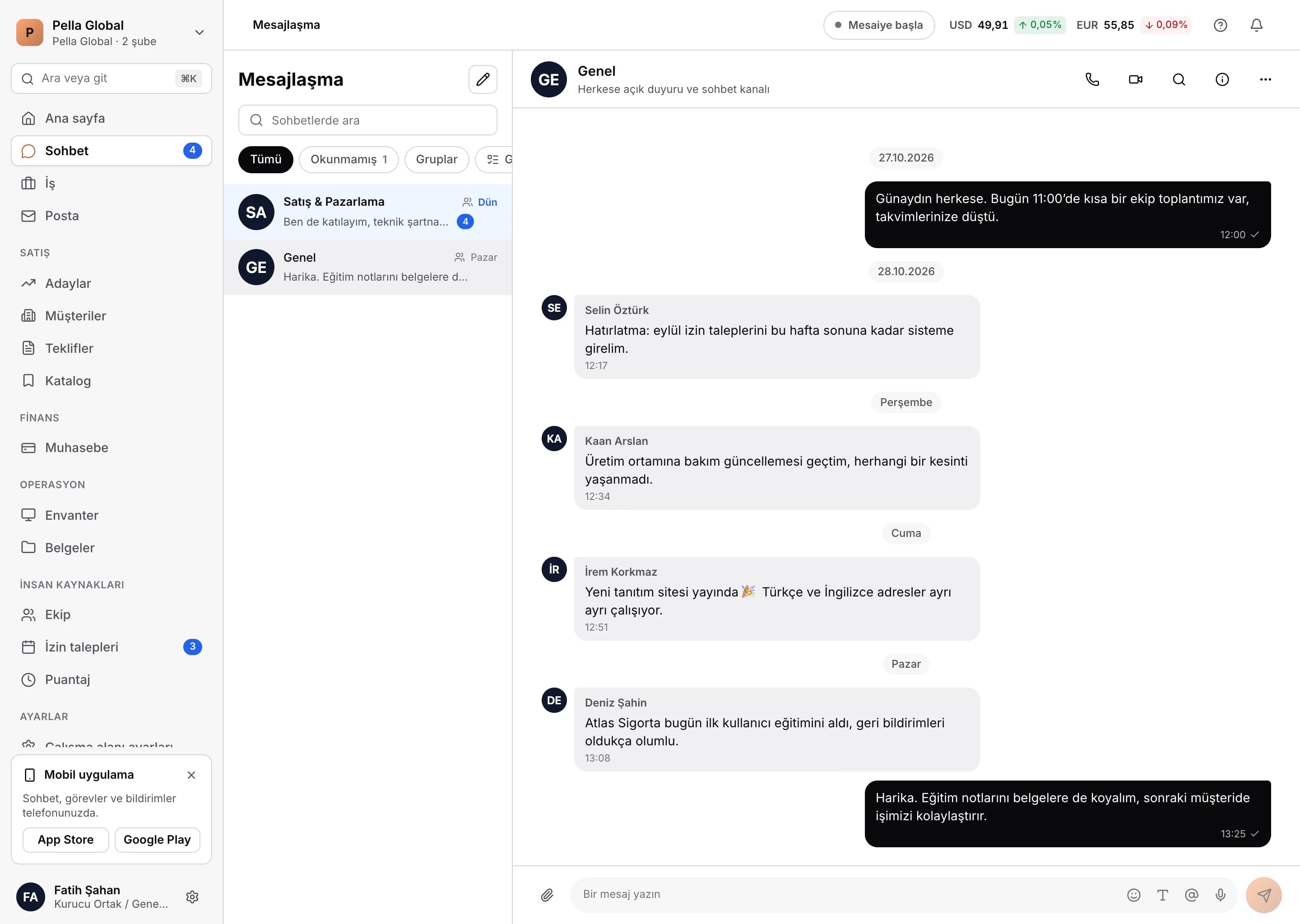
Team communication lives where the work happens. Move from a message to a video call, post an announcement to the company feed, and keep the customer thread on the same screen.

  • Direct and group chat with labels and read receipts
  • @mentions and instant notifications
  • Voice and video calls with screen sharing
  • Company feed: posts, comments, likes and stories
  • Send kudos to keep the team motivated
  • Gmail and IMAP mailbox integration
Team messaging: channels, one-to-one conversations and starting a voice or video call.
Assets

Documents, equipment, licences and subscriptions

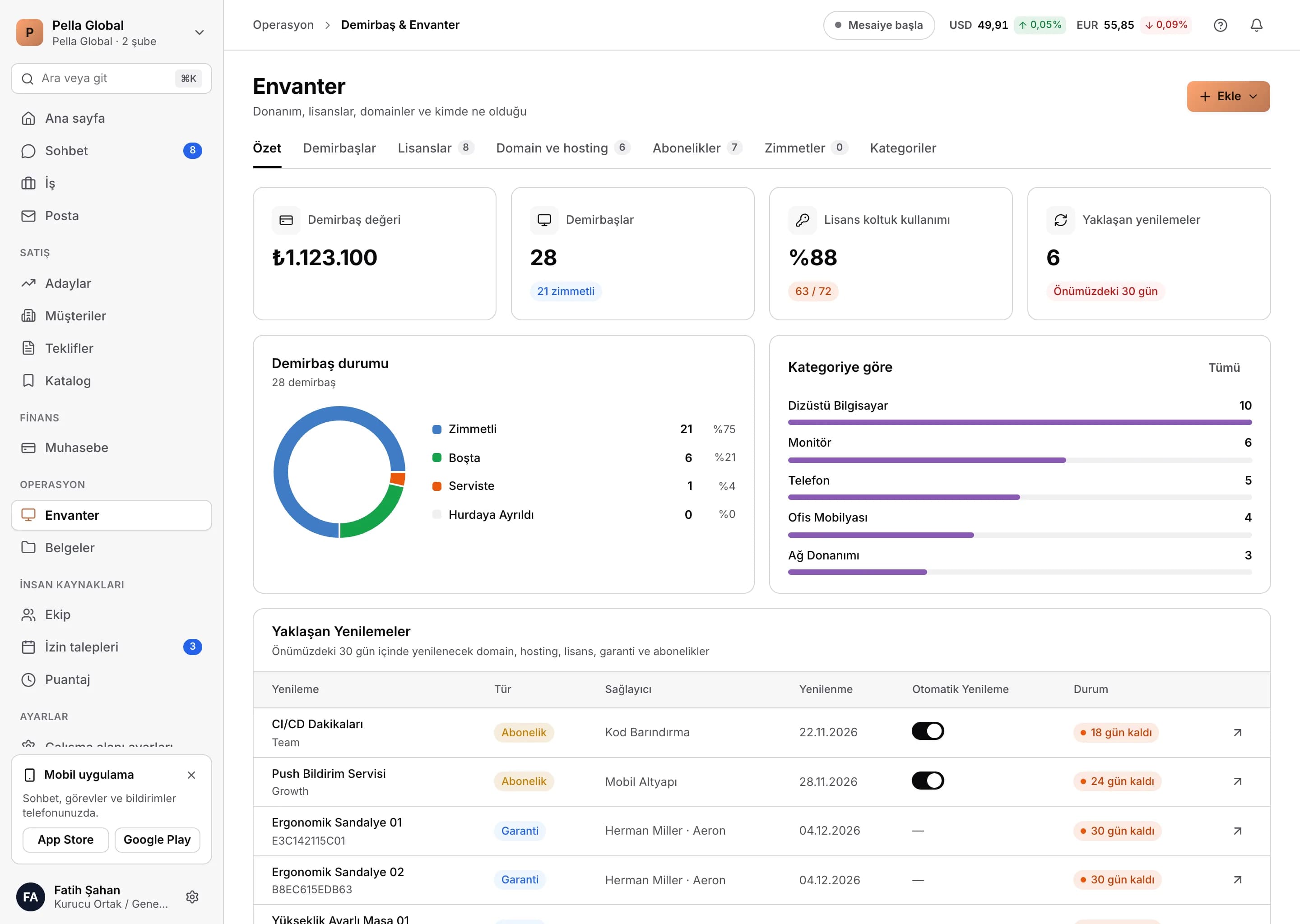
Every company asset on the record: who has which laptop, how many seats a licence has left, when a domain expires and where a contract is filed.

  • Folder-based document management, sharing and version history
  • Asset records, barcode scanning and service logs
  • Handover and return receipts as PDF
  • Licence seat assignments
  • Domain, hosting and subscription renewal tracking
  • Trash bin and restore
Asset and inventory overview: assigned devices, software licences, domains, hosting accounts, seat usage and the breakdown by category.
Platform

The shared foundation under every module

Whatever you do in a module goes through the same permission, notification, search and audit layer.

Search everywhere

Cmd/Ctrl + K searches customers, quotes, invoices, documents and people from one box.

Instant notifications

Task assignments, mentions, leave approvals and invoice due dates reach both the browser and the phone.

Two-factor authentication

2FA, session management and remote sign-out are available on every account.

Per-branch settings

Statuses, currency, working hours and holidays are not fixed lists — each branch defines its own.

PDF output

Quotes, handover receipts and invoices are produced from a corporate template.

Change history

Who changed what and when is recorded, and document versions can be rolled back.

Real time

A websocket layer delivers messages, notifications and status changes without a page refresh.

Self-service billing

Upgrade your plan and manage cards from inside the panel; card details never touch our servers.

Security and administration

You always know where your data sits

In a business CRM the real question is not the feature list — it is how permissions actually work.

Permissions enforced server-side

A record hidden in the interface is rejected by the API as well. The rule is defined once and both clients read the same one.

Custom roles

Start from the built-in roles, then define your own per module and per action.

Location and IP restrictions

Accept clock-ins only from the branch location or from an allow-listed IP address.

2FA and session control

Two-factor authentication, an open-session list and remote sign-out come as standard.

Isolated data

Every customer runs in its own tenant space; queries are scoped to the tenant and branch context.

Your own domain

On white-label plans you connect your own domain and the certificate is issued automatically.

Move your team's scattered tools onto one platform

In a 30-minute live demo we walk through your own processes inside Pella. No sign-up, no commitment.